WarDogs Assistant.
Overview & download.
Your starting point for WarDogs Tech. Sign in to BangBangTang, select bbt1 (DMA) or bbt2 (local memory), download the cloud release and launch.
Download launcher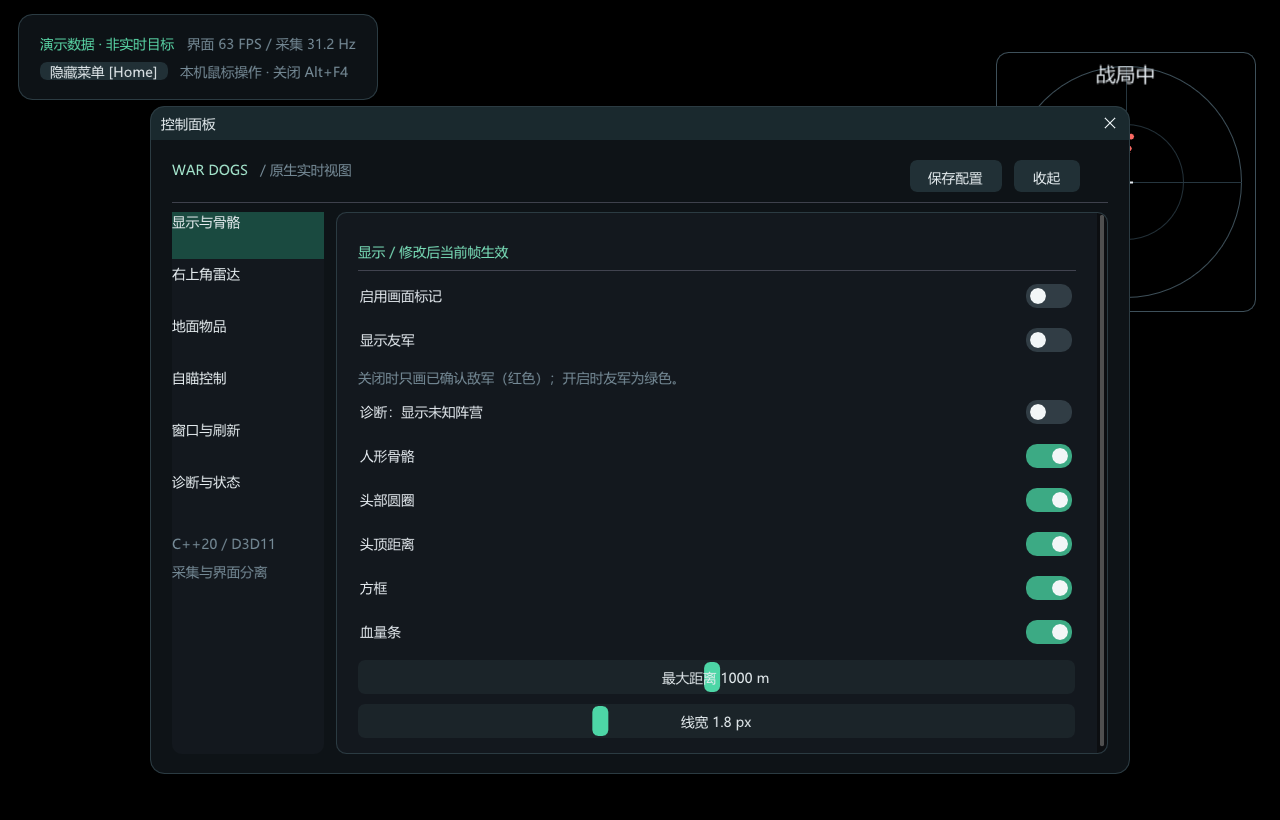
bbt1 display settings · Earlier demonstration capture
Screenshots and features
bbt1 includes on-screen markers, skeleton and distance displays, a corner radar and target-control settings. Download and launch it through BangBangTang, and save settings inside the application.
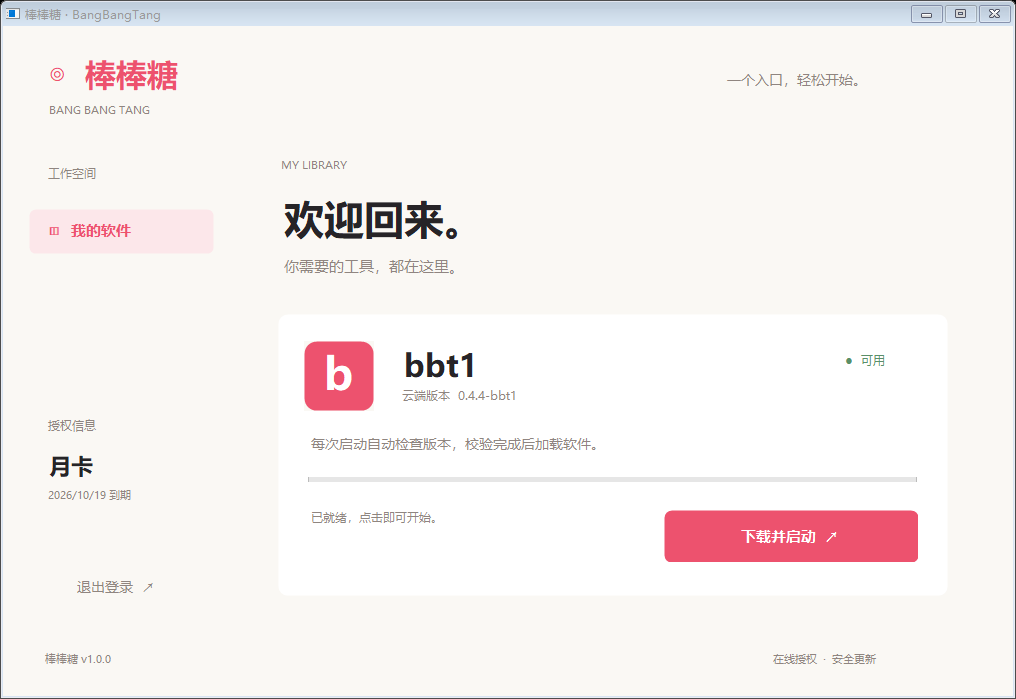
Library and launch
BangBangTang shows available software, the cloud version and download progress. This is an earlier interface capture; check the launcher for the current release.
Display and skeleton settings
Configure skeletons, head circles, distances, boxes, health bars and display range. Captured with demonstration data.
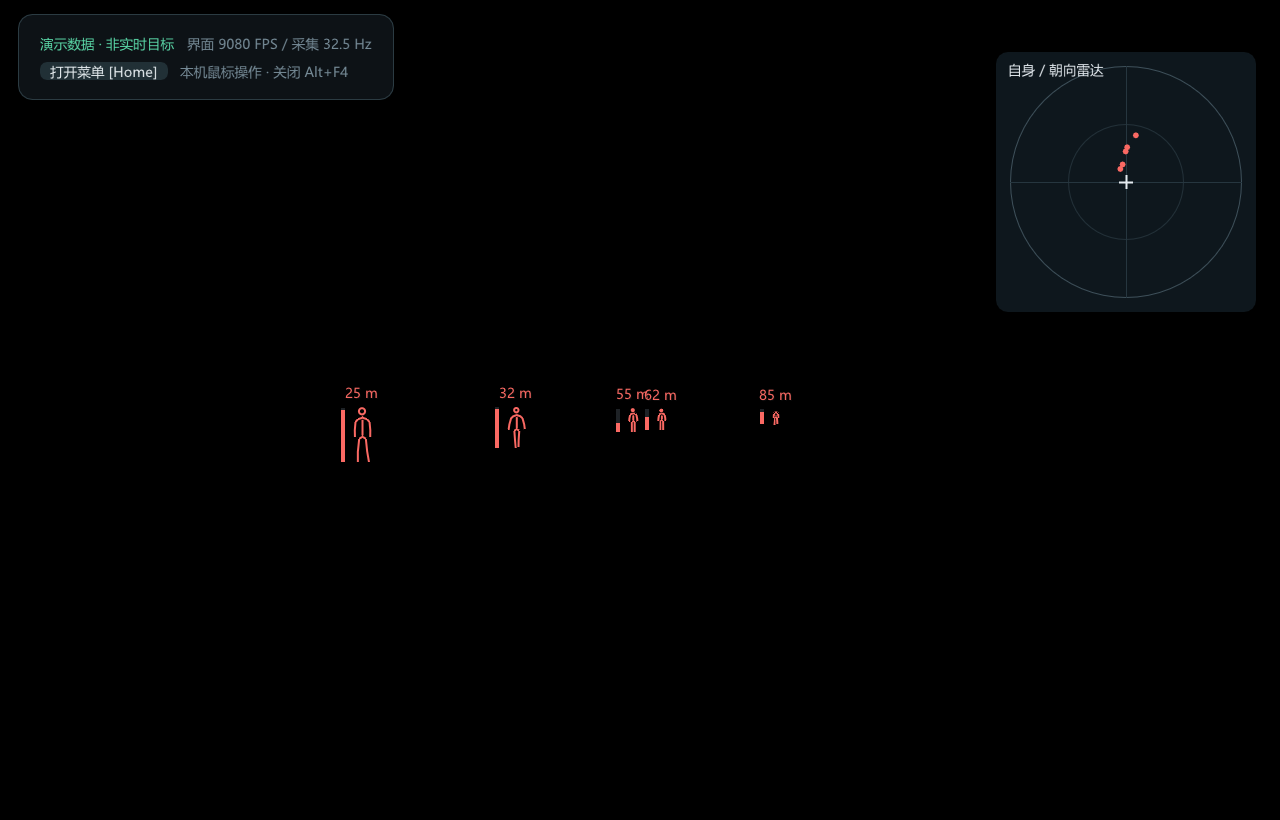
Markers and radar
The demonstration view shows distances, character markers and radar positions. This is demonstration data, not a live match capture.
Quick user guide
Prepare
Use Windows 10 / 11 x64 with an internet connection. Before using a DMA source, connect the device and close other programs that are using it.
Sign in and download
Open BangBangTang, enter a valid license key, select bbt1 (DMA) or bbt2 (local memory) in the library and click its Download and launch button. Run bbt1 on the acquisition computer, or bbt2 on the game computer without DMA hardware. The launcher installs the selected package and any required DMA libraries automatically. Wait for file verification to finish.
Adjust the display
Press Home to open or close the menu. Configure Display and skeleton or the corner radar. Settings save automatically and are restored next time.
Target controls
Aim assist, silent aim and projectile tracking are mutually exclusive. Enable execution, close the menu and hold the activation key shown in your settings. Silent aim and tracking remain experimental; live hit results still need testing.
Exit
Release the activation key to stop execution, or turn execution off in the menu. Press Alt+F4 to exit the application.
Troubleshoot
For failed downloads, check your connection and restart BangBangTang. For missing markers, check the data-source status and display switches. Read the status text when paused or showing a red indicator. Include the version, status text and a screenshot when reporting an issue; do not publish your license key.
A few things to know
How are WarDogs Tech, bbt1 and BangBangTang related?
WarDogs Tech is the site brand. bbt1 is the WarDogs Assistant product, and BangBangTang is the Windows launcher used to sign in, download and start it.
Is this the tool found under “WarDogs cheats”?
This page introduces bbt1 WarDogs Assistant and its download entry point. Available features and compatibility depend on the current client release.
How do I update bbt1?
Download BangBangTang, sign in with a valid key and select bbt1. The launcher retrieves the cloud release and verifies the downloaded files.
Is the desktop launcher available in English?
This website has Chinese and English pages. The current BangBangTang desktop interface is primarily Chinese; changing the website language does not change the launcher language.